
Add music to video online
Put a song or soundtrack under your video, set the volume and fade it in and out. Use your own music or free tracks from the built-in library.
Opens in KlikFrame, our free video editor that runs in your browser.
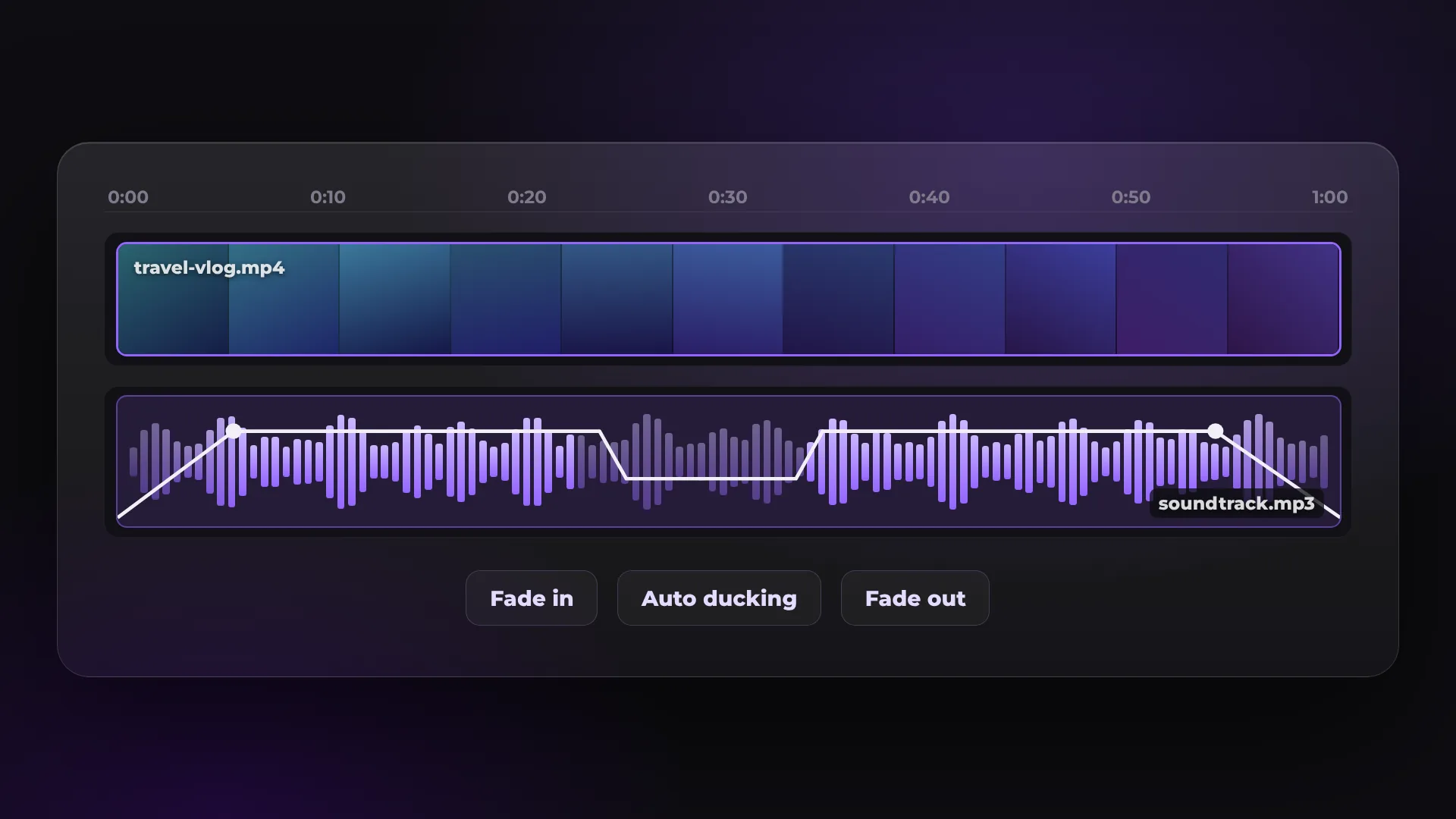
How to add music to a video
- 1
Add your video
Click Add music to a video and drop your video onto the timeline.
- 2
Add the music
Import an MP3, WAV or M4A file, or pick a track from the Music library, and place it under the video.
- 3
Set the level and export
Lower the music in the Mixer, fade it in and out, then export the MP4.
Your music or the library?
KlikFrame takes your own audio files and also composes music in the browser for each project.
Your own music | KlikFrame library | |
|---|---|---|
Where it comes from | Your computer | Composed in your browser |
Formats and length | MP3, WAV, M4A, AAC, OGG, FLAC | Fits the project, or 30 s, 1 min, 2 min |
Commercial use | Depends on your license | Free, including commercial work |
Best for | A song you have the rights to | Background music without license questions |
Want the cuts on the beat? Beat sync cuts your clips to the music. Voice over music? Auto ducking lowers the music while someone speaks.
Good to know
Auto ducking
Lowers the music by itself while someone is speaking.
Fade in and out
Start the music softly and let it end without a hard cut.
Mixer
Set the level of every track so the voice stays clear.
Even loudness
Export can normalize loudness to −14 LUFS, the level YouTube and Spotify use.
Questions about adding music to video
Is it free to add music to a video?
Yes. There is no watermark and no account. You add an email address once, before your first export.
Is the library music free to use?
Yes. It is composed in your browser for each project and is free to use in any video, including commercial work.
Can I use any song?
You can add any audio file you have, but you need the rights to publish it. Otherwise platforms may mute or block the video.
How do I make the music quieter than the voice?
Lower the music track in the Mixer, or use Auto ducking to lower it only while someone speaks.
Your next video starts here
Open the editor and drop in your footage. Nothing to install.