
Remove silences
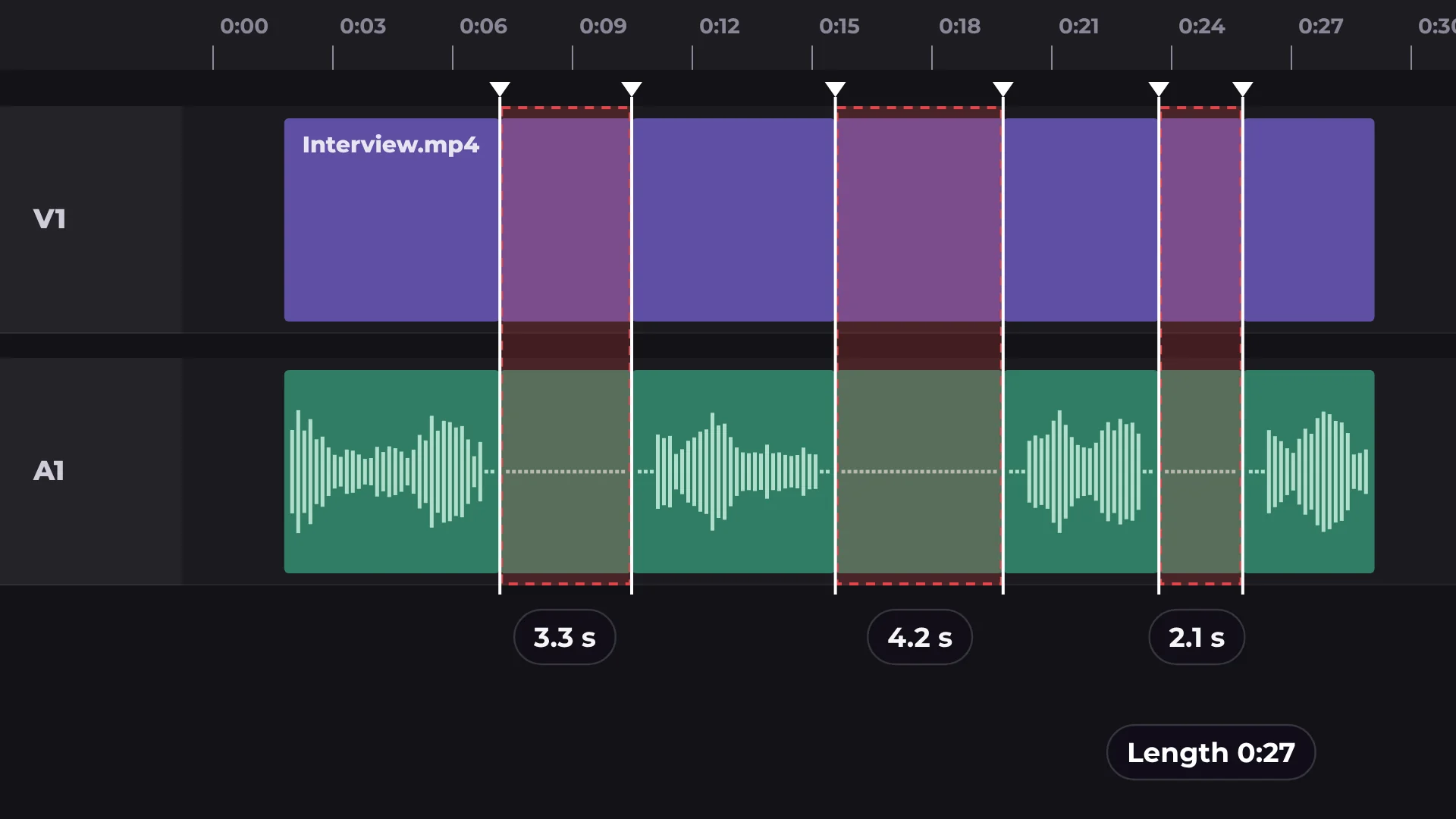
Remove silences finds the pauses between sentences, cuts them out and closes the gaps, so talking videos move faster without manual cutting.
How to remove silences from a video
- 1
Select a clip
Click the clip with speech on the timeline.
- 2
Choose the pause length
Cut pauses longer than 0.3, 0.5 or 0.8 seconds.
- 3
Run it
The pauses are cut, the gaps close and the video plays straight through.
What you get
You set the pause length
Keep natural breathing room or cut tight, from 0.3 to 0.8 seconds.
Gaps close on their own
No empty spaces left on the timeline.
Video and audio stay in sync
Both are cut in exactly the same places.
Undo anytime
Ctrl/⌘ Z brings back the original clip.
Questions about remove silences
Is Remove silences free?
Yes. Cutting silences and exporting are free, with no watermark.
What counts as a silence?
Any pause longer than the length you choose: 0.3, 0.5 or 0.8 seconds.
Will it cut my words?
It only cuts pauses longer than the length you set, not speech.
Can I undo it?
Yes. Press Ctrl/⌘ Z to bring the original clip back.
Is my video uploaded anywhere?
No. The audio is analyzed on your computer.
Your next video starts here
Open the editor and drop in your footage. Nothing to install.