
AI tool · runs on your device
Beat sync
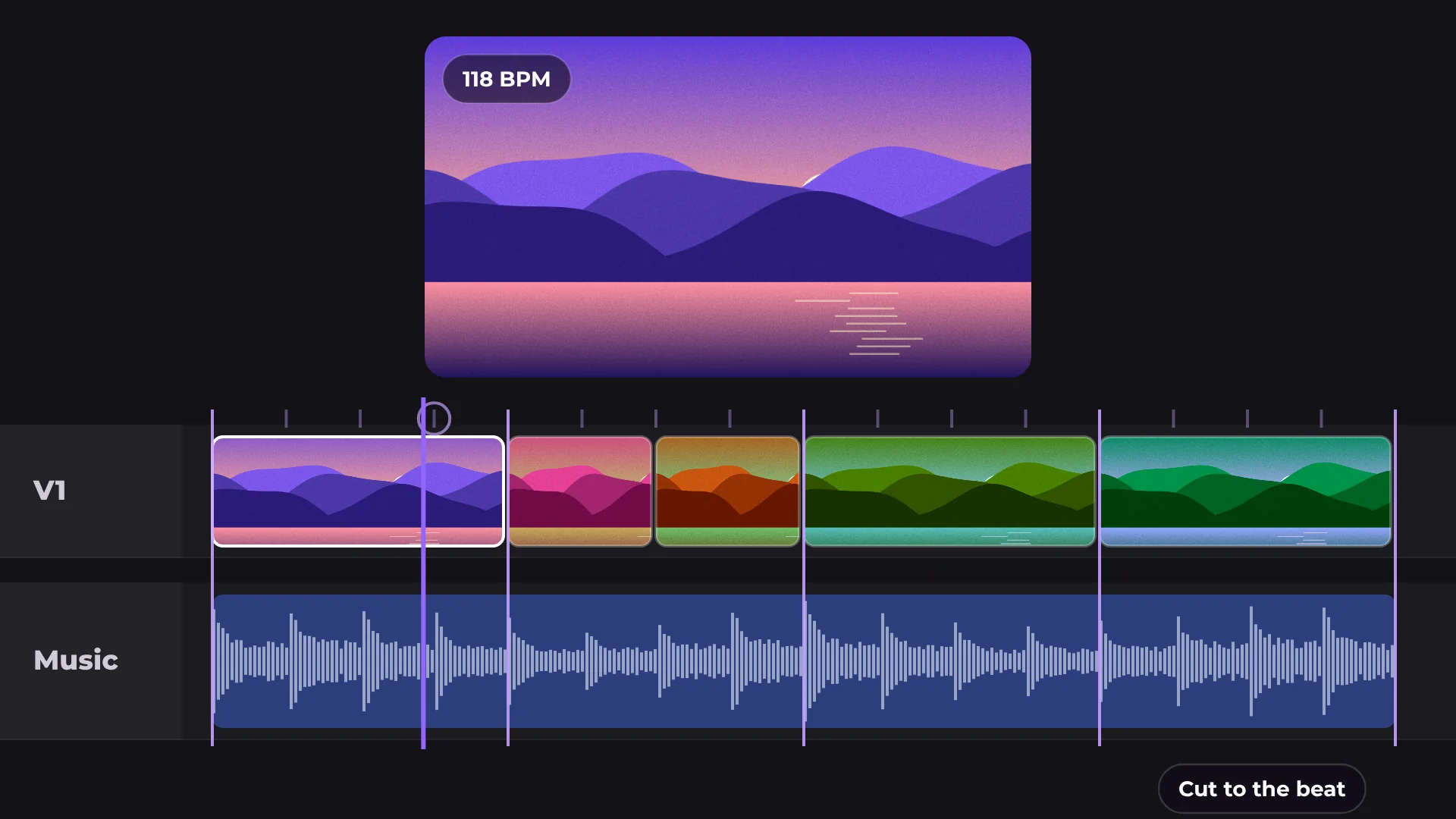
Beat sync finds the beat of your music and cuts your clips on it, so every edit lands on the rhythm.
Auto
beat detection
1 click
cuts on the beat
0 MB
uploaded
Free
no watermark
How to sync video to the music beat
- 1
Add music
Pick a track from the library or add your own.
- 2
Run Beat sync
Select the music clip and open Beat sync. The beats are marked.
- 3
Cut on the beat
Your clips are cut on the beat markers.
What you get
Beat markers
See every beat on the timeline.
Music library
Free music and sound effects inside the editor.
Your own tracks
Works with any music file you add.
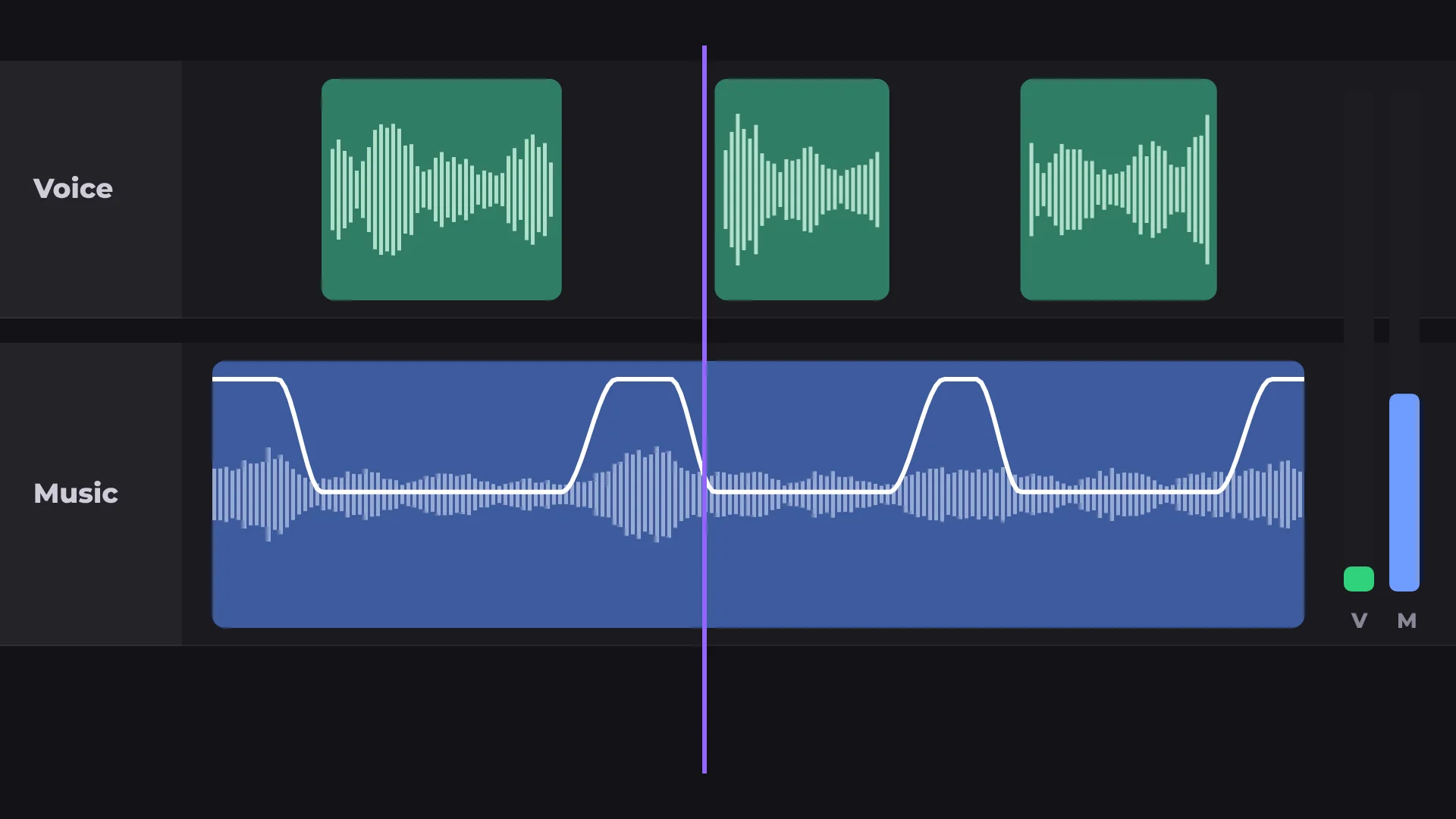
Voice stays clear
Auto ducking lowers the music under speech.
Made for
Montages
Travel videos
Event recaps
Social videos
Questions about beat sync
Is Beat sync free?
Yes. Beat sync and exporting are free, with no watermark.
Can I use my own music?
Yes. Add any music file and run Beat sync on it.
Is my music uploaded anywhere?
No. The beat is detected on your computer.
Do I have to cut on every beat?
No. Use the beat markers as a guide and cut where it feels right.
Is there music I can use?
Yes. The editor has a library of music and sound effects.
Your next video starts here
Open the editor and drop in your footage. Nothing to install.