
PluralEyes, Syncaila and KlikSync all promise the same thing: drop in footage from several cameras and audio recorders, and get back a synced multicam timeline without timecode. The only way to know which one actually delivers is to give all three the same difficult project and count the mistakes. That is what this test does.
We took one real multicam music project — 105 files across 10 songs — exported a single Final Cut Pro XML from Adobe Premiere, and ran that exact XML through all three XML-based sync tools. Then we brought every result back into Premiere and checked it clip by clip.
The video below shows the whole test in real time: exporting the XML, running each sync tool, and comparing all three timelines in Adobe Premiere.
This is a multicam music project: footage from multiple cameras plus a separate audio recorder, covering 10 songs performed to playback. In total, 105 files had to be placed in the right position on the timeline.
Two things make it a hard test on purpose. First, the media are proxy files, so they carry no usable recording-time metadata — every tool has to rely purely on audio analysis. Second, it is music: the same song is played back across several takes, so many clips sound almost identical and a sync tool can easily match a clip to the wrong take. If you edit music videos, concerts or live sessions, this is exactly the kind of project where sync tools break.

To keep the comparison fair, every tool got exactly the same input and was judged the same way:
If you are new to how audio-based sync works compared to timecode, our guide to timecode vs audio waveform sync explains the difference.
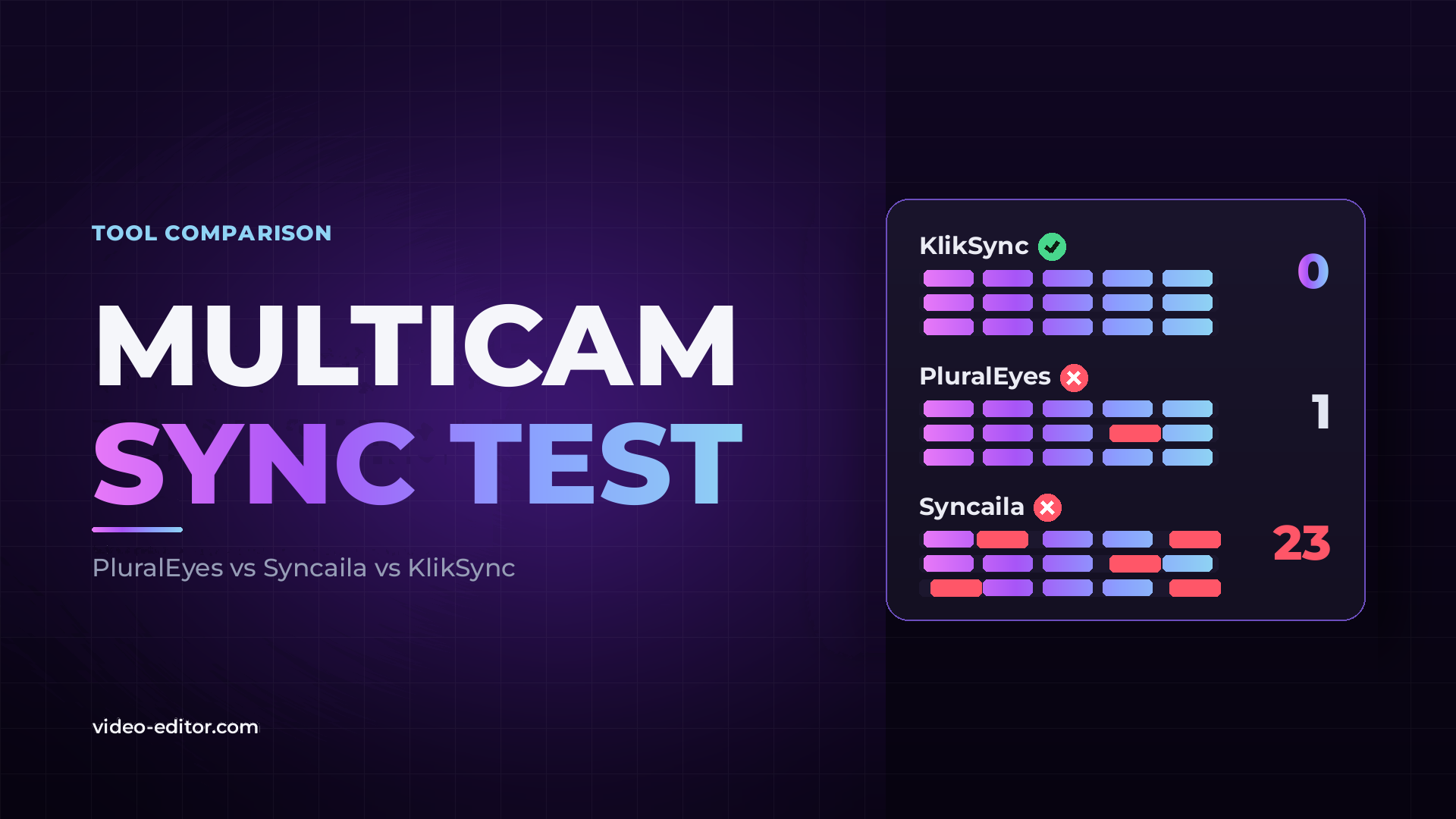
Speed and accuracy pulled in different directions. The fastest tool made the most mistakes, and the slowest still left one clip unsynced. Only one tool placed every clip correctly.
KlikSync synced the full project in 1 min 57 sec — just under two minutes — with no wrong clips. Loaded back into Adobe Premiere, the timeline was identical to what KlikSync showed in its own interface: every camera and the audio recorder lined up across all 10 songs, with nothing to fix by hand.
KlikSync works with both Adobe Premiere and DaVinci Resolve through XML, and runs as a standalone app on Windows and macOS. You can see how it works on the KlikSync page.

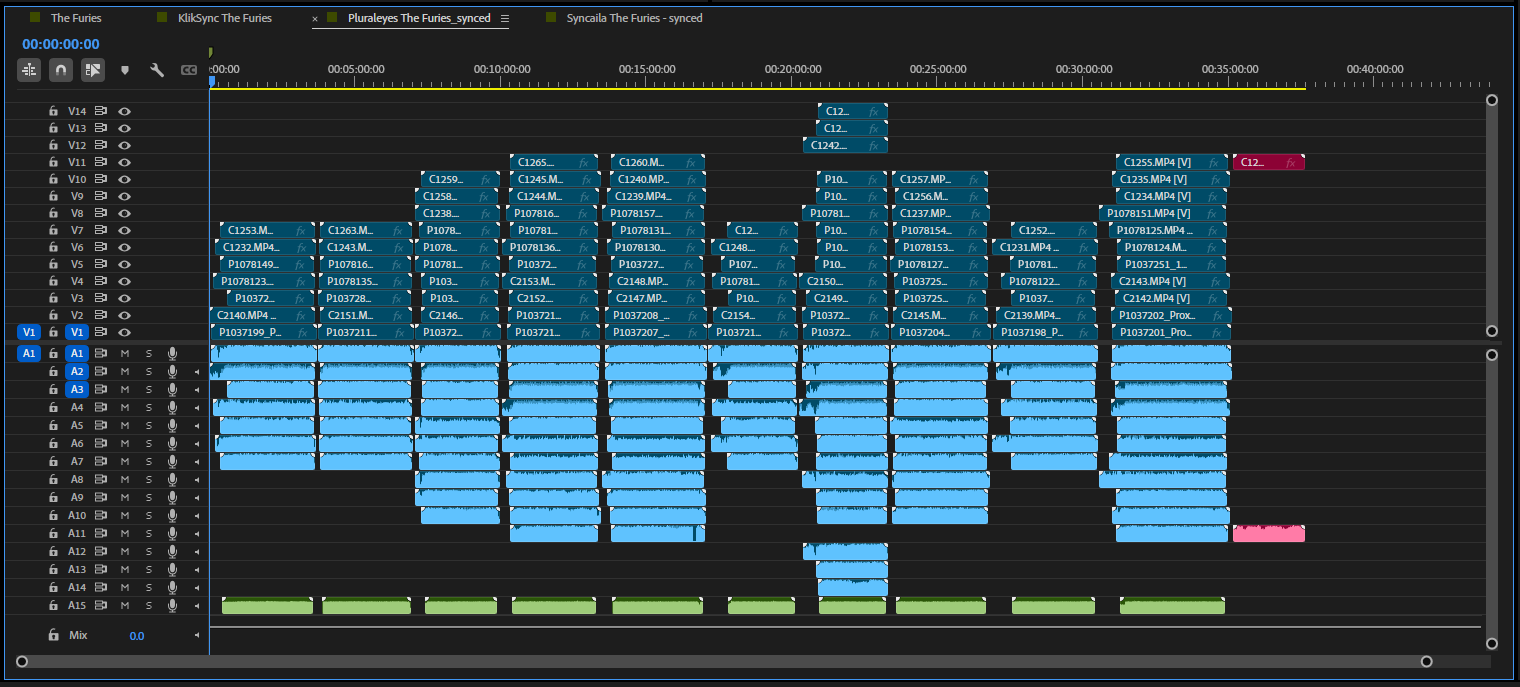
PluralEyes finished in 4 min 3 sec and synced 104 of the 105 clips. The one remaining clip, highlighted in red, was not synced and would need to be placed by hand. One miss on 105 files is still a strong result — the cost here was time, at more than twice as long as KlikSync.
The bigger issue with PluralEyes is not this test. It has been discontinued, receives no updates and can no longer be bought, so it is not a dependable foundation for ongoing work. We cover what to use instead in PluralEyes alternatives.
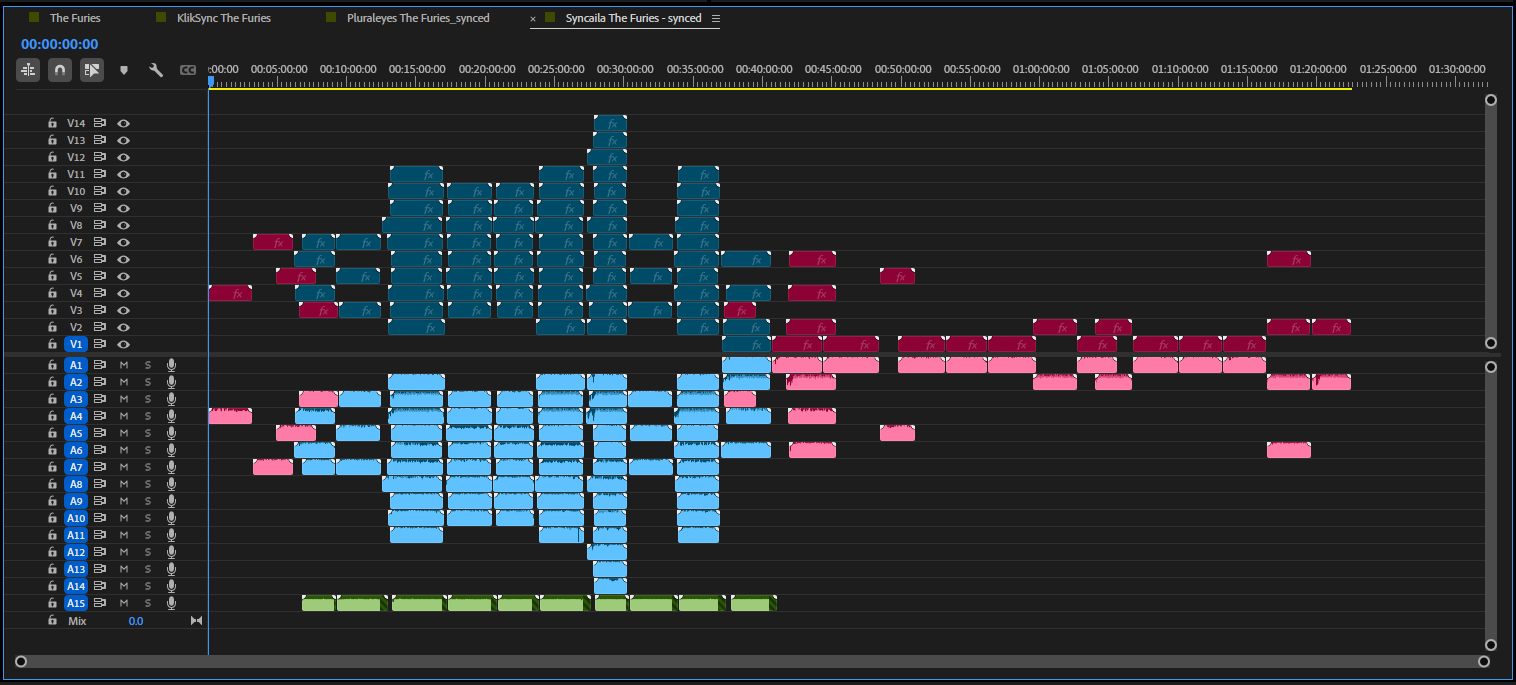
Syncaila was by far the quickest, completing the sync in 51 sec. But when the result was opened in Adobe Premiere, 23 of the 105 clips were marked in red — clips it could not sync or place in their correct position on the timeline. That is 78% accuracy, and 23 clips to find and fix by hand.
To be fair to Syncaila, it is a capable program when files carry recording-time metadata, which it uses to guide the sync. On this project — music, proxy files and no usable metadata — it had to rely on audio analysis alone, and that is where it struggled.
Most sync tools look for the point where two clips share the same audio. On a music project shot to playback, the same song repeats across every take, so a clip can match several places on the timeline almost equally well. Picking the right one takes more than finding a single strong match.
Proxies remove the safety net. Without recording-time metadata, a tool cannot fall back on when each file was recorded to narrow down where it belongs — the audio has to carry the whole decision. If you edit large multicam projects on proxies, our guide to the proxy workflow covers how to set them up, and syncing multicam footage without timecode walks through more real projects.
Sync time is the smallest part of the job. A tool that finishes in under a minute but misplaces 23 clips leaves you searching the timeline, finding each wrong clip and moving it by hand — work that takes far longer than the minutes saved. What matters is how many clips you have to fix afterwards.
For music videos, concerts, live events and projects on proxies, where audio is repetitive and metadata is missing, accuracy decides everything. In this test, KlikSync was the only tool with zero wrong clips.
For footage with reliable recording-time metadata, Syncaila's metadata-guided approach can work well and quickly. KlikSync reads recording-time metadata too, but it doesn't take it on trust: it checks the metadata against the audio, recognizes when it's wrong or missing, and decides for each project whether to use it or rely on the audio alone.
If you still run PluralEyes, it remains accurate, but it is slower, discontinued and unsupported — a risk at the very start of every project.
For a broader look at the methods behind automatic sync, see how to sync multicam footage automatically.
In this test on a 105-clip multicam music project, KlikSync was the most accurate, placing all 105 clips correctly. PluralEyes missed 1 clip and Syncaila misplaced 23.
Syncaila was the fastest at 51 sec, followed by KlikSync at 1 min 57 sec and PluralEyes at 4 min 3 sec. Syncaila's speed came with the lowest accuracy, at 78%.
PluralEyes still syncs accurately if you have it installed — it got 104 of 105 clips right here — but it was the slowest tool in the test and it has been discontinued, with no updates or support. For ongoing work, a maintained alternative is the safer choice.
For difficult projects such as music videos, live events and proxy-based edits, KlikSync matched PluralEyes' accuracy and beat it on speed in this test, with zero wrong clips. Our PluralEyes alternatives guide compares the wider set of options.
The project used proxy files with no usable recording-time metadata, and the repeated songs created many near-identical audio matches. Relying purely on audio analysis, Syncaila placed 23 clips in the wrong position.
All three work through XML. In this test, the timeline was exported from Adobe Premiere as Final Cut Pro XML, synced in each tool, and imported back into Adobe Premiere. KlikSync supports both Adobe Premiere and DaVinci Resolve.
Yes. All three tools sync by analyzing audio, so no timecode is needed — every camera only needs to record some audio, even a built-in camera mic. If your audio slowly slips out of sync over a long clip, see why audio drifts out of sync and how to fix it.
Want more practical guides for professional video editors? Browse the full blog.
 u
u u
u