
Most guides assume you have timecode. This one is for when you don't.
If you don't have timecode, you can still sync multicam footage automatically by matching the audio waveform on each camera and microphone instead of a shared clock signal. This is how tools like KlikSync work: no jam-sync gear, no clapperboard, no planning required before the shoot — just audio recorded on every device, matched after the fact.
Below are two real multicam projects synced this way — a 100+ file live music recording and a podcast with an interrupted, three-camera shoot — along with what actually happens when timecode isn't an option.
Timecode sync requires every camera and recorder on set to be electronically linked to the same clock — either jammed from a single generator before recording, or synced continuously through timecode-capable gear. It's fast and precise when it's set up correctly. It's also frequently not an option.
In practice, most multicam shoots run without it. A band's live show gets covered with whatever cameras are available that night — not all of them timecode-capable. A podcast adds a third camera partway through the season, purchased separately, with no way to jam-sync it to the other two. A one-off event gets shot with borrowed gear, a phone as a backup angle, or a mix of cameras from different owners who've never synced clocks together.
None of that is a mistake. It's just how most real productions actually happen. The footage still needs to be synced — it just can't rely on a shared timecode signal to do it.
The alternative is audio waveform sync: instead of matching a clock signal, the software analyzes the sound recorded on each device and finds the same moments in each file — a word, a clap, a chord — then aligns every clip to that shared reference point. No timecode, no clapperboard, no setup before the shoot. It works with whatever audio each device already captured.
KlikSync uses this method to sync everything at once — every camera and every microphone from a shoot, regardless of how many files are involved. Export an XML from Adobe Premiere or DaVinci Resolve, run it through KlikSync, and import the synced XML back into your editor. Every sync decision is verified across multiple layers of audio analysis before it's applied — the result is a confirmed position, not a best guess.
The two projects below show what that actually looks like on real footage — not a clean demo, but the kind of messy, real-world recording most editors are handed.
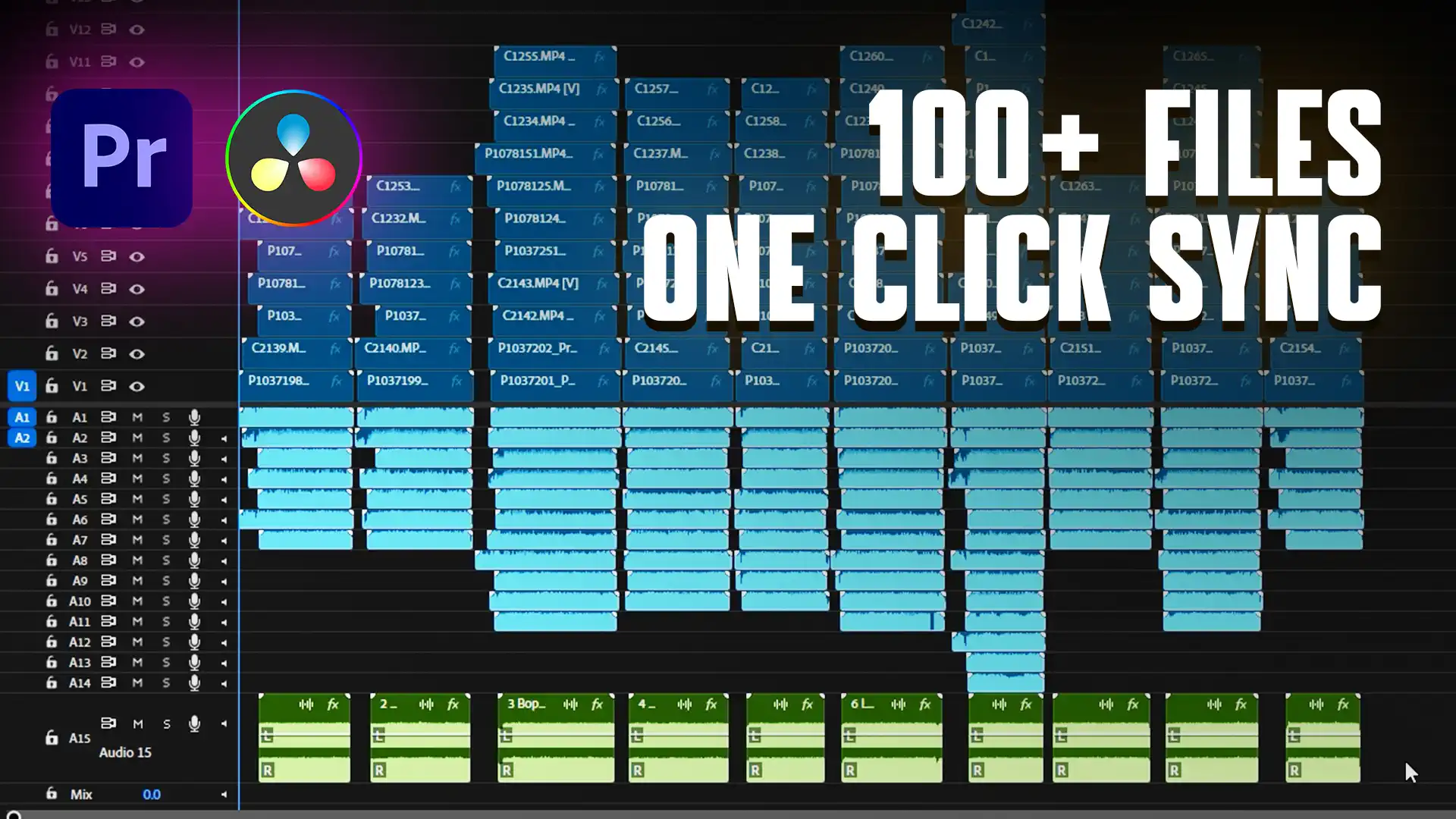
This project came from a live band recording session — 10 songs, multiple cameras, and several playback takes per song, since a few songs were re-run more than once to get a clean take. Across the full session, that added up to over 100 individual files, none of them timecode-linked.
Multiply that out and the file count grows fast: every camera angle, every playback track, every repeated take is its own file competing for a position on the timeline. This is exactly the scenario where manual sync — or waveform matching one pair of clips at a time — stops being realistic. There's no clean way to eyeball-match 100+ waveforms by hand without losing most of a day to it.
KlikSync synced the entire session in one pass — every camera, every playback take, positioned automatically on the timeline in the order it was recorded. Watch the full sync below.
Projects with this many files also tend to be heavy on playback — high-resolution multicam footage stacked across a dozen or more tracks. If your machine struggles with a timeline this size before you've even started cutting, a proxy workflow will make a noticeable difference.
The second project is a podcast recorded on three cameras and two external microphones — and almost nothing about the recording went smoothly. One camera ran low on battery mid-session and had to be swapped out without stopping the conversation. A second camera started overheating partway through and needed to be paused and restarted more than once to cool down. On top of that, the whole session had one full recording break in the middle.
None of that is unusual for a real shoot — it's the kind of thing that happens on most multicam sessions that aren't a controlled studio setup. But it's exactly what breaks timecode-based workflows and most built-in multicam tools: every restart, every dropped camera, every gap in recording creates a new segment that has to be matched back into the timeline separately.
KlikSync synced the full session as one continuous timeline — battery swap, overheating pauses, recording break, and all — with every camera and both microphones positioned correctly against each other. See the full sync below.
None of this means timecode is obsolete. On a controlled shoot — a studio setup where every camera and recorder is jam-synced from the same generator before rolling — timecode sync is fast, exact, and doesn't depend on audio quality at all. If you're already set up for it, there's no reason to switch.
The honest reality is that most productions outside a fully controlled studio environment aren't set up for it — whether because of borrowed gear, a shoot that grew past its original camera count, or a shoot where planning ahead simply wasn't possible. Waveform sync exists for exactly that gap: it doesn't require anything to be set up in advance, only that every device captured audio.
A few short clips showing multicam sync visually — these are edited for effect, not a literal walkthrough of the software. For a step-by-step look at how a project is actually set up and synced, see the full videos above.
Can you sync multicam footage without timecode?
Yes. Audio waveform sync matches the sound recorded on each camera and microphone to find shared moments between files, then aligns every clip to that reference point. It doesn't require a shared clock signal or any setup before the shoot — only that every device captured audio.
What is the difference between timecode sync and audio sync?
Timecode sync links every device to the same clock signal before recording, which is fast and precise but requires equipment and planning in advance. Audio sync analyzes the sound recorded on each device after the fact and matches common peaks and patterns — no preparation required, but it depends on the quality and level of the recorded audio.
How many files can be synced at once without timecode?
There's no hard limit with a dedicated sync tool like KlikSync — the process is designed to handle large multicam projects, including sessions with 100 or more files across multiple cameras and playback takes.
Does audio sync still work if the recording was stopped and restarted?
Yes, as long as each source stays on its own dedicated track in chronological order. KlikSync handles interrupted recordings — battery swaps, camera restarts, recording breaks — as a single continuous timeline rather than splitting them into separate sequences.
Do I need special equipment to sync footage without timecode?
No. Audio waveform sync only requires that each camera and recorder captured audio during filming — no clapperboard, no timecode generator, no jam-syncing required on set.
For the exact steps — how to organize your timeline before exporting, which file formats are supported, and how to troubleshoot a sync — see the full KlikSync documentation.
Want more practical guides for working video editors? Browse the full blog.
 u
u u
u